
Introduction
At first glance, becoming more productive as a student may seem like an impossible task.
Between attending classes, completing assignments, preparing for examinations, participating in extracurricular activities, and maintaining a healthy social life, many students often feel overwhelmed.
The pressure to meet expectations can lead to stress, poor time management, and the constant feeling of being behind schedule.
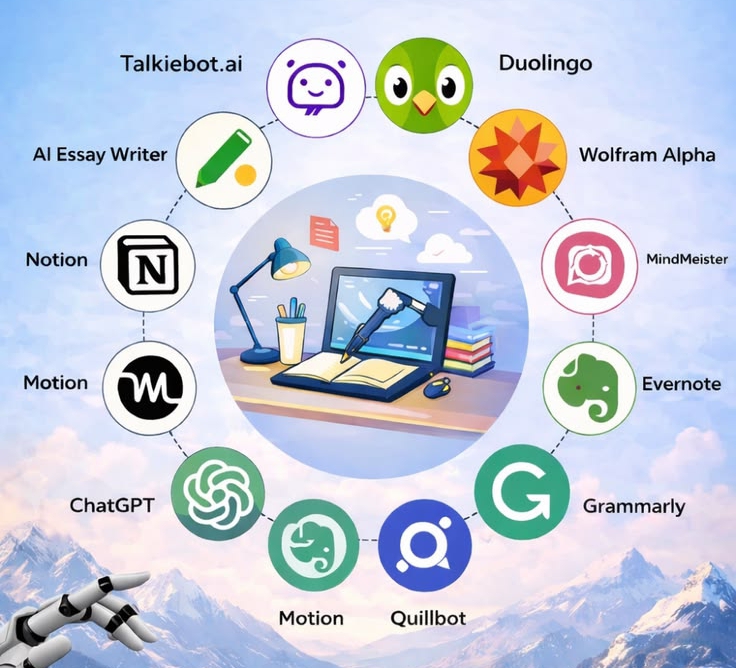
Fortunately, many productivity tools are available today to make student life more manageable.
These tools are designed to help both high school and college students stay organized, focused, and efficient in their daily routines.
From note-taking apps and task managers to study planners and collaboration platforms, technology has provided practical solutions that simplify academic responsibilities.
These tools help students manage their coursework more effectively by making it easier to organize notes, track deadlines, plan study schedules, set reminders, and break large tasks into smaller, more achievable goals.
Instead of relying only on memory or handwritten to-do lists that can easily be misplaced, students can use digital tools to build organized systems that support their learning and improve productivity.
Many of these tools also help students reduce distractions and develop better study habits.
Features such as focus timers, website blockers, calendar integrations, and progress trackers encourage discipline, consistency, and accountability.
This is especially valuable in today’s digital world, where social media notifications and endless online entertainment can easily interrupt concentration.
Beyond academics, productivity tools can help students maintain a healthier balance between schoolwork and personal life.
Good time management creates room for rest, hobbies, family, and self-care while reducing unnecessary stress.
Developing these habits early can provide lifelong benefits that extend beyond the classroom into future careers.
It is important to remember that productivity is not about studying for long hours without breaks or staying busy every minute of the day.
True productivity is about working smarter, setting priorities, and making the best use of your time and resources.
While these tools cannot replace hard work and dedication, they can make learning more organized, efficient, and enjoyable.
In this guide, we’ll explore some of the best productivity tools every student should consider using.
You’ll learn how each tool works, its key features, and how it can help improve focus, simplify daily responsibilities, and support academic success.
Anki
Anki is one of the most effective productivity tools for students, especially for those who need to memorize large amounts of information.
While traditional paper flashcards can be helpful, creating them often takes a lot of time. They can also be misplaced, damaged, or become difficult to organize as your study materials grow.
Anki simplifies this process by turning flashcards into a digital learning system. Students can create customized flashcards using text, images, audio, and even videos, making learning more interactive and engaging.
The app also syncs across multiple devices, allowing you to study anytime, whether you’re using your phone, tablet, or computer.
One of Anki’s biggest strengths is its spaced repetition system. Instead of reviewing every flashcard repeatedly, Anki automatically schedules cards based on how well you know them.
Difficult cards appear more often, while cards you’ve mastered are shown less frequently. This helps improve long-term memory while reducing the amount of time spent studying.
Although Anki is especially popular among students learning foreign languages because it supports translations, pronunciation audio, and vocabulary practice, it is equally useful for subjects such as medicine, biology, history, law, mathematics, and many other courses that require regular revision and memorization.
Cold Turkey
Cold Turkey is a powerful productivity tool designed to help students stay focused by blocking distracting websites and applications while studying.
Instead of constantly switching between schoolwork and social media, students can create a distraction-free environment that encourages better concentration and improves productivity.
The software allows students to set a timer based on how long they plan to study.
Before starting a study session, they can choose the websites or apps they want to block, such as social media platforms, gaming sites, or other online distractions.
Once the timer starts, those sites remain inaccessible until the study session ends, helping students stay committed to their work.
One of Cold Turkey’s standout features is Writer Mode, which turns your computer into a distraction-free writing environment.
This feature hides unnecessary distractions, making it easier to focus on essays, assignments, reports, or other writing tasks without interruptions.
Cold Turkey offers both free and paid versions. The free version includes enough features for many students to improve their study habits, while the paid version unlocks additional customization options and advanced productivity features.
Unlike many productivity tools that require monthly or yearly subscriptions, Cold Turkey offers a one-time purchase for its premium version, making it a cost-effective option for students who want long-term access without recurring fees.
Overall, Cold Turkey is an excellent choice for students who struggle with distractions and want to build better focus, improve time management, and develop more productive study habits.
Google Calendar
For every student, having a well-organized study schedule is one of the best ways to stay productive.
A good study calendar helps you plan your daily activities, keep track of important school events, and avoid missing assignment deadlines or examination dates.
Instead of trying to remember everything, you can rely on reminders and notifications to keep you on track.
Google Calendar is one of the best productivity tools for both high school and college students.
It allows you to organize your classes, schedule study sessions, set reminders for assignments, quizzes, tests, examinations, and project deadlines—all in one place.
One of its biggest advantages is that it automatically syncs across your devices.
Whether you’re using a smartphone, tablet, or computer, your schedule is always available, making it easy to stay organized wherever you are.
Google Calendar also works well for group projects. Students can create shared calendars, schedule meetings, set deadlines, and receive notifications, making collaboration much easier.
With its simple interface and powerful features, it helps students manage their time effectively while reducing the chances of forgetting important academic activities.
Key Features
– Create daily, weekly, and monthly study schedules.
– Set reminders for assignments, quizzes, tests, and exams.
– Schedule classes, meetings, and extracurricular activities.
– Share calendars with classmates for group projects.
– Sync automatically across Android, iPhone, tablets, and computers.
– Integrates seamlessly with other Google Workspace apps such as Gmail and Google Meet.
Why Students Should Use Google Calendar
Google Calendar helps students develop better time management habits, stay organized throughout the semester, and reduce the stress of last-minute studying. By planning ahead and following a structured schedule, students can improve both their academic performance and their work-life balance.
Official Website
Google Calendar is free to use with a Google account. You can access it on the web or download the official app for Android and iPhone here.
https://play.google.com/store/apps/details?id=com.google.android.calendar
https://apps.apple.com/app/google-calendar/id909319292
Google Drive
Google Drive is another excellent productivity tool for both high school and college students.
It is a cloud-based storage platform that integrates seamlessly with Google Docs, Google Sheets, Google Slides, and other Google Workspace applications.
This makes it easy for students to create, edit, store, and collaborate on assignments, projects, and class notes in real time.
One of Google Drive’s biggest advantages is that it offers 15 GB of free cloud storage, giving students enough space to save documents, presentations, PDFs, images, and other academic files.
Since everything is stored securely in the cloud, you can access your files from any device with an internet connection.
This means that even if your laptop or phone gets damaged, lost, or stops working, your important school files remain safe and can be accessed by simply signing in to your Google account.
Google Drive also helps students stay organized by allowing them to create folders for different subjects, semesters, or projects.
Files can be shared with classmates and teachers, making group assignments and collaborative work much easier.
It also keeps track of changes made to documents, allowing users to restore previous versions whenever necessary.
Key Features
– 15 GB of free cloud storage.
– Access files from any device.
– Create and edit documents with Google Docs, Sheets, and Slides.
– Share files and collaborate with classmates in real time.
– Automatically saves your work to prevent data loss.
– Organize files into folders for easy access.
Is Google Drive go for me as a Student
Google Drive eliminates the worry of losing important school files and makes teamwork much easier.
Whether you’re working on an assignment alone or collaborating on a group project, it provides a secure and convenient way to store, organize, and access your academic materials anytime and anywhere.
Best For: Students who want secure cloucloud storage, easy file sharing, and seamless collaboration on school projects.
Official Website:
Access Google Drive on the web or download the official app for your device:
http://- Web: https://drive.google.com/
Grammarly
Grammarly is one of the most useful productivity tools for students who want to improve the quality of their writing. Proper spelling, grammar, and punctuation play an important role in academic success, as they can influence how assignments, essays, and reports are graded.
For many students, proofreading every piece of writing can be time-consuming, especially when managing multiple assignments and deadlines.
Grammarly simplifies this process by checking your work in real time and providing suggestions to improve grammar, spelling, punctuation, sentence structure, clarity, and overall writing style.
In addition to correcting writing mistakes, Grammarly also offers suggestions to make sentences clearer and more engaging.
This helps students communicate their ideas more effectively, whether they are writing essays, research papers, emails, or discussion posts.
Another valuable feature is Grammarly’s plagiarism checker, which helps students identify text that may match existing online sources.
This encourages originality and proper citation, making it especially useful for research-based assignments. (The plagiarism checker is available with Grammarly Pro.)
Key Features
– Real-time grammar, spelling, and punctuation checks.
– Writing suggestions for clarity, tone, and style.
– AI-powered writing assistance for brainstorming and rewriting.
– Plagiarism detection with Grammarly Pro.
– Works with Microsoft Word, Google Docs, web browsers, and mobile devices.
Why Students Should Use Grammarly
Grammarly helps students submit cleaner, more professional assignments while saving time during proofreading.
It also improves writing skills over time by explaining many of the corrections it suggests, making it an excellent learning companion for students at every academic level.
Best For: Students who want to improve their writing, reduce grammar mistakes, and produce polished assignments with confidence.
Official Website:
You can use Grammarly on the web or download the official app and browser extensions from:
http://Web: https://www.grammarly.com/
Notion
This is an all-in-one workspace that has to do with taking of notes, task management, and collaboration it incredible features that can impact so much in the lives of student.
Notion allows students to create list of school stuffs, plan for their projects, organize lecture notes, and also collaboration within classmates.
Also read: How to Become Successful in School Exams 2026
Its flexibility allows users to customize templates for specific needs, such as study schedules or group assignments.
Some of the key functions of notion are: Drag-and-drop functionality, integrated calendar and Real-time collaboration which make organizing diverse academic and personal tasks in one place.
Evernote
Next is Evernote, some of us might be wondering what Evernote is. This is a powerful note-taking app designed for students who need to compile and manage large amounts of information.
It key features are: Advanced search capacity, it clips articles from webs and tagging for better organization which can be very useful to students.
With the ability of evernote to syncing notes across devices, students can access their study materials anytime, anywhere.
The app also supports multimedia notes, making it ideal for capturing voice recordings or inserting images. Keeping detailed, searchable notes for research and lectures.
Conclusion
In addition, if students incorporate these productivity tools into their daily routines, they can streamline their workflows, manage their time more effectively, and move closer to achieving their academic goals.
Rather than feeling overwhelmed by multiple assignments, approaching deadlines, and competing responsibilities, students can create systems that help them stay organized and focused throughout the academic year.
Whether it is organizing lecture notes, collaborating on group projects, tracking deadlines, creating study schedules, or staying focused during revision sessions, there is a productivity tool tailored to meet every student’s unique needs.
The key is not to use every available application but to identify the ones that fit your learning style and support your academic objectives.
Some students may benefit from digital planners and calendar apps, while others may find note-taking platforms or focus timers more effective.
It is also important to remember that productivity tools are meant to complement good habits, not replace them.
Consistency, discipline, and a willingness to adapt remain essential ingredients for academic success. Even the most advanced application will have limited impact if it is not used regularly and purposefully.
Students should therefore make it a habit to review their schedules, update their task lists, and evaluate which methods are helping them perform at their best.
Beyond improving academic performance, learning to manage time and responsibilities effectively can prepare students for life after graduation.
The ability to prioritize tasks, meet deadlines, communicate efficiently, and remain organized are valuable skills that employers seek in today’s competitive job market.
By developing these habits early, students equip themselves for success not only in school but also in their future careers and personal lives.
Finally, remember that productivity is not about being busy every minute of the day. It is about making meaningful progress while maintaining a healthy balance between studies, rest, and personal well-being.
Explore these tools, experiment with different approaches, and discover the strategies that work best for you.
With the right mindset and the proper resources, you can take your productivity to the next level, reduce stress, and make your educational journey more enjoyable, rewarding, and successful.